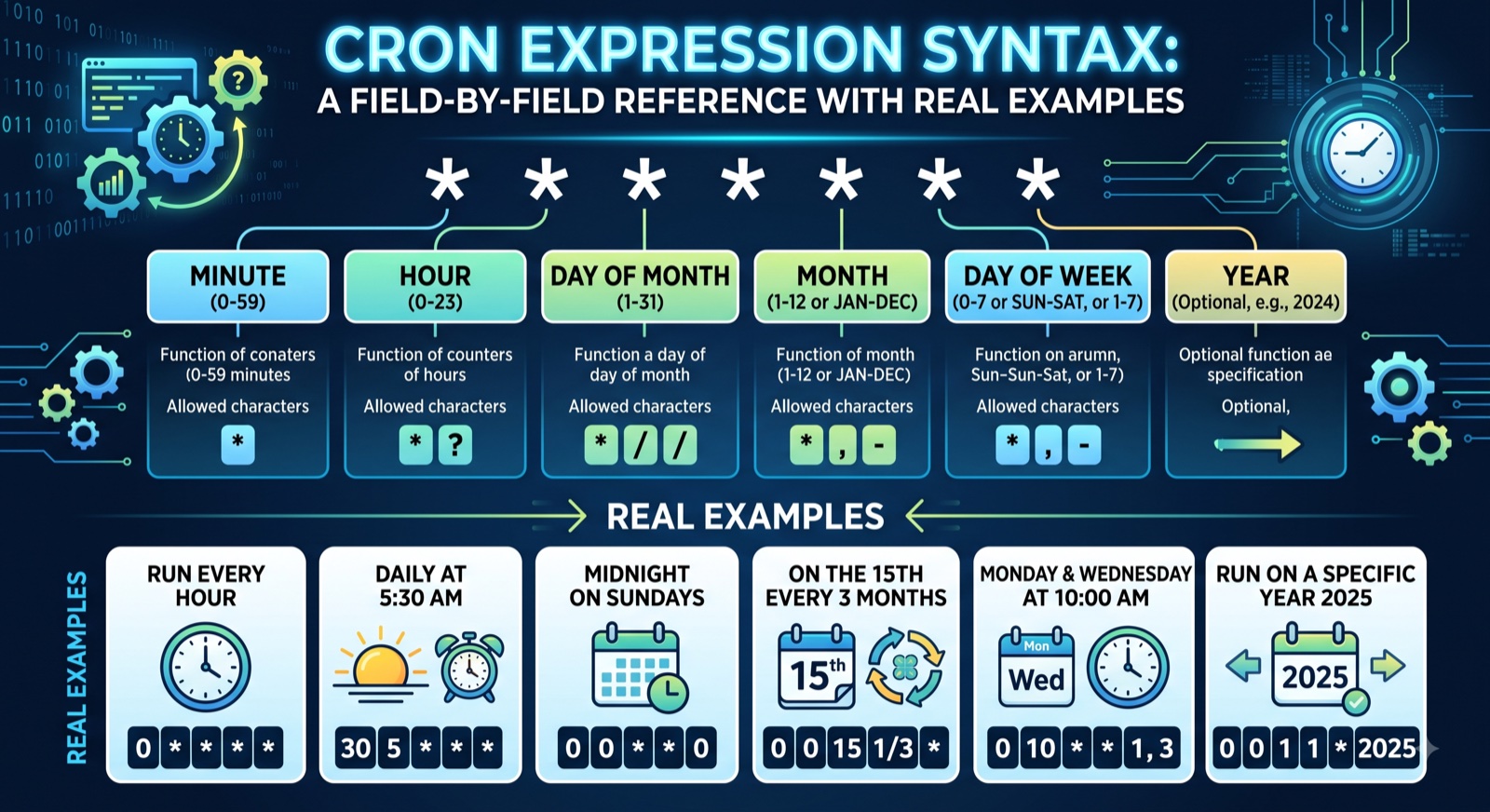
The Cron Fields, In Order
Standard (Vixie) cron — the version used by Linux crontab, most CI/CD schedulers, and Kubernetes CronJobs — has exactly 5 whitespace-separated fields:
┌───────────── minute (0-59)
│ ┌─────────── hour (0-23)
│ │ ┌───────── day of month (1-31)
│ │ │ ┌─────── month (1-12)
│ │ │ │ ┌───── day of week (0-6, 0 = Sunday)
│ │ │ │ │
* * * * *
Some schedulers — most notably Quartz (used by Spring Boot's @Scheduled and many Java job runners) — add a sixth leading field for seconds (0-59), shifting everything one position to the right. Kubernetes CronJobs and standard Linux crontab never use a seconds field; if you see 6 fields, you're almost certainly looking at Quartz syntax.
Special Characters
*— "every value."* * * * *means every minute, of every hour, of every day.,— a list.0,15,30,45 * * * *means at minutes 0, 15, 30, and 45 of every hour.-— a range.9-17 * * * *means every minute during the hours 9 through 17 (9am–5pm)./— a step value, used with a range or*.*/15 * * * *means every 15 minutes;0 0-23/6 * * *means at minute 0 every 6 hours.?— "no specific value," used only in Quartz syntax in the day-of-month or day-of-week field when the other is set, since Quartz doesn't support both fields being restricted simultaneously.L— "last," a Quartz-only character. In the day-of-month field,Lmeans the last day of the month; in day-of-week,6Lmeans the last Friday of the month.W— "nearest weekday," Quartz-only.15Win the day-of-month field means the nearest weekday to the 15th.#— "the Nth occurrence," Quartz-only.MON#1means the first Monday of the month.
Standard Cron vs Quartz/Spring Cron
These two dialects look similar but are not interchangeable, and pasting a standard cron expression into a Quartz scheduler (or vice versa) is a common source of silent scheduling bugs.
| Feature | Standard Cron | Quartz / Spring Cron |
|---|---|---|
| Number of fields | 5 | 6 or 7 (seconds field added; year is optional) |
| Day-of-week range | 0-6 (0 = Sunday) | 1-7 (1 = Sunday) or names SUN-SAT |
| Day-of-month + day-of-week both restricted | Allowed — treated as OR | Not allowed — one must be ? |
| Extra characters | Mostly just * , - / | Also supports L, W, #, ? |
| Typical use | Linux crontab, Kubernetes CronJob, GitHub Actions | Spring @Scheduled, Java Quartz library, Jenkins (partial) |
Common Gotchas
- Day-of-month and day-of-week are OR'd, not AND'd, in standard cron.
0 9 1 * MONruns at 9am on the 1st of every month and every Monday — not only on Mondays that happen to be the 1st. If you actually want "the 1st, but only if it's a Monday," you need application logic, not cron alone. - Both
0and7mean Sunday in standard cron's day-of-week field in most implementations (Vixie cron), which causes confusion when porting expressions between systems that only accept one or the other. - Timezone handling is scheduler-specific, not cron-specific. Cron syntax itself has no timezone concept — it's entirely up to the runner. Linux crontab uses system local time unless
CRON_TZis set; Kubernetes CronJobs use the kube-controller-manager's timezone unless atimeZonefield is set (supported since Kubernetes 1.27); cloud schedulers like AWS EventBridge Scheduler require an explicit timezone parameter. - "Every 5 minutes" using
/5is anchored to 0, not to whenever the job was created.*/5 * * * *fires at :00, :05, :10... not 5 minutes after deployment. This surprises people who expect step values to be relative to "now." - Skipped or duplicate runs around DST transitions are a real risk for any cron field expressed in local time — a job scheduled for 2:30am may not run at all on the "spring forward" day, or may run twice on "fall back," depending on the scheduler's DST handling.
DevOpsArsenal Cron Explainer
Paste any cron expression and get a plain-English explanation plus the next several run times — instantly, in your browser, no signup required.
Try Cron Explainer Free →Real-World Examples
| Cron Expression | Meaning |
|---|---|
*/15 * * * * | Every 15 minutes (at :00, :15, :30, :45) |
0 9 * * 1-5 | Every weekday (Mon–Fri) at 9:00am |
0 0 1 * * | At midnight on the 1st of every month |
0 */6 * * * | Every 6 hours, on the hour (00:00, 06:00, 12:00, 18:00) |
0 9 * * MON#1 (Quartz) | 9:00am on the first Monday of the month |
0 2 * * 0 | Every Sunday at 2:00am (off-peak backup window) |
30 23 * * * | Every day at 11:30pm |
0 0 L * ? (Quartz) | Midnight on the last day of every month |
*/5 9-17 * * 1-5 | Every 5 minutes, but only 9am–5pm, Monday through Friday |
0 0 1 1 * | Midnight on January 1st — once a year |